Create, Edit & Delete Client Accounts
Reon allows you to easily manage your clients/customers. You are able to create new client accounts, which will have their own access to a client dashboard.
Creating New Clients
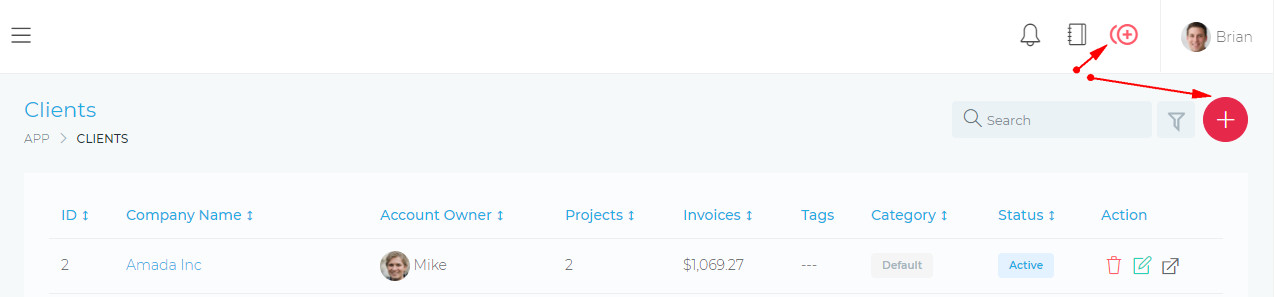
You can create a new client account by clicking on the Quick Add icon or by clicking on the action_column.
- Navigate to Clients section
- Click "Add New Client"
- Fill required information
- Set permissions and access levels
- Save the new client profile
Editing Client Information
To edit your client account, click on the Delete Client Icon, as shown in the image below:

Deleting A Client Account
To edit your client account, click on the Delete Client Icon, as shown in the image below:

When you delete a client, all the items/resources linked to that client will also be deleted. The list below highlights some of the items that will be deleted.
- FProjects
- Client Users
- Invoices
- Tasks
- Files
- Payments
- etc etc